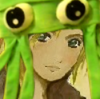
This is the first semi-serious digital portrait I've attempted in a while. I used Windows 7 Paint, and my computer mouse. There are some things I'm not particularly happy with (the white background being one of them), but overall I'm pleased with it. The hair took FOREVER.
Did you know that in Win 7 paint there is an option to select everything except white. Just extend your canvas size to double, draw your desired background, in the new space then under 'select' choose transparent selection and drag your picture over the background then delete the old empty space. Save multiple copies beforehand though as this can not be reversed if you over-ride it.
If you'd like critique then all I have to say is the craftsmanship is incredible for your tool and medium. You could make the lips a little bigger but that is all.
Thanks, Blackwood. I did try that, but, alas, the feathering on the hair had caused it to pick up a lot of white-ish coloring; I spent about an hour and a half trying to "erase" the white tones from around the hair, then realized that it looked awful and there was pretty much no salvaging it.
A lesson learned, to be sure.
I aim to misbehave.
Is it weird in here, or is it just me? --Steven Wright
Maybe it's a stylistic preference, but I think you could do with a lot less texturing on the hair. I know you put a lot of time and effort into it, and it does show, but I think what you've added in effort you've detracted from style. Hair naturally clumps together and splinters at the ends, and some shades blend in.
See the way the hair closer to her head is almost all the same colour. At the top it clumps together and the texture is smoother, and the thickness of the clumps of strands varies a lot more.
I think what you've got here is great! But it needs another layer to really bring it to life, like some deeper shading and sharper contrasts.
Thank you, dear! It means so much!|This pictures was part of a coloring quest and I wanted to colorize it, too:D Originally black and white photo colored in gimp by me.