


It should, if it doesn't.
First off, let me introduce you to colourization,

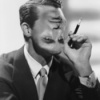
This image used to be completely black & white, (it is a picture of Buster Keaton, after all), until photoshop and a good deal of patience made it colourized.
What you do is select the part you want to colourize, for instance, the skin, edit it with the Saturation/Hue, (choosing colourize), and choose the colour it should be.
And then repeat with the rest of the things you want colourized, like the robe, the chair, the basket, the teapot, etc., etc.
And that takes a very long time.
Now here's something that takes even longer,

A colourized GIF!
Want to know why it takes longer?
Because you have to colourize each frame indivually.
The above GIF took me six hours.
Here's one that took me a month:

Care to take a guess as to why this one took longer?
Well, for one thing, this one is fourteen frames, whereas the first one is only five or so.
Also because there's a lot more things to select. With the first, it was just Buster's skin, his sailor get-up, the sky, and the sea.
With this one, there's Buster of course, which entails his skin, his jacket, and his hat. There's also the chick (whatsherface, I think it's his wife maybe?), which is her skin, her coat, and her hat. There's also the cars, the cars lights and such, and the cars seats. And the background! Dear lord, the background. Trees, the road, houses, bushes, tree trunks, the sky in a few frames, posts, gah gdsfgggfduksnfnfsksfj
TL;DR, I spend too much time on pointless things.
but at least they look pretty
Original GIFS, here, and here


 I can't imagine spending that much time editing a picture, but maybe if the end results would look as good as yours I would! xD


